
Course Overview
Microsoft Excel is one of the world’s most widely used business applications. Whether you’re tracking expenses, maintaining employee lists, managing schedules, or analyzing data, Excel provides powerful tools to organize information and make better decisions.
This hands-on course introduces participants to the essential features of Excel and helps build the confidence needed to create professional worksheets and perform common business tasks.
Participants learn through practical exercises and real-world examples that can be applied immediately in the workplace.
Who Should Attend?
This course is designed for:
- New Excel users
- Administrative professionals
- Customer service staff
- Coordinators and support personnel
- Managers and supervisors
- Anyone who works with spreadsheets and wants to improve their Excel skills
Prerequisites
Participants should be comfortable using Windows, including:
- Using a mouse and keyboard
- Opening and saving files
- Navigating folders and File Explorer
No prior Excel experience is required.
Topics Covered
Getting Started
- Understanding Workbooks & Worksheets
- Navigating the Excel Interface
- Working with the Ribbon
- Creating & Saving Workbooks
- Entering & Editing Data
- Selecting Cells, Rows & Columns
- Copying & Moving Information
- Using AutoFill
- Formula Basics
- Relative References
Functions & Output
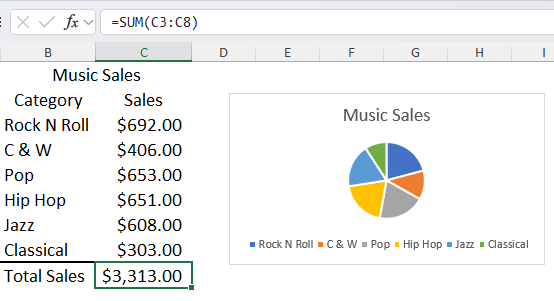
- SUM Function
- AVERAGE Function
- MIN & MAX Functions
- COUNT Function
- Worksheet Formatting
- Sorting & Filtering Data
- Find & Replace
- Creating Charts
- Modifying Chart Layouts
- Printing Worksheets
Learning Outcomes
After completing this course, participants will be able to:
- Navigate Excel efficiently
- Create and save workbooks
- Enter and edit worksheet data
- Build formulas and calculations
- Use common Excel functions
- Format worksheets professionally
- Sort and filter information
- Create and modify charts
- Prepare worksheets for printing and sharing
The Lighthouse Training Difference
Lighthouse Training focuses on building genuine confidence, not just clicking through features. You’ll leave knowing how to actually use Excel — not just what the buttons do.
Shining a guiding light on technology.