
Course Overview
Microsoft Excel Intermediate builds upon foundational Excel skills and introduces tools that help users work more efficiently, analyze information, and create more dynamic worksheets. Participants learn techniques that improve productivity and make managing larger amounts of data easier.
This hands-on course focuses on the features Excel users rely on every day, including tables, advanced formatting, logical functions, lookup functions, and data analysis tools.
Participants learn through practical exercises and real-world examples that can be applied immediately in the workplace.
Who Should Attend?
This course is designed for:
- Current Excel users seeking to improve their skills
- Administrative professionals
- Analysts
- Project coordinators
- Supervisors and managers
- Anyone responsible for maintaining and analyzing spreadsheet data
Prerequisites
Participants should have experience working with Excel and be comfortable with:
- Creating and saving workbooks
- Entering and editing data
- Basic formulas and functions
- Formatting worksheets
- Creating simple charts
Experience equivalent to the Microsoft Excel Fundamentals course is recommended.
Topics Covered
Data & Formatting Tools
- Working with Excel Tables
- Structured References
- Advanced Formatting
- Conditional Formatting
- Data Validation
- Named Ranges
- Freeze Panes
- Split Windows
- Custom Sorts
- Advanced Filtering
Functions & Worksheet Management
- IF Functions
- AND & OR Functions
- Nested Functions
- XLOOKUP Function
- VLOOKUP Fundamentals
- Managing Large Worksheets
- Worksheet Protection
- Working with Multiple Worksheets
- Linking Worksheets
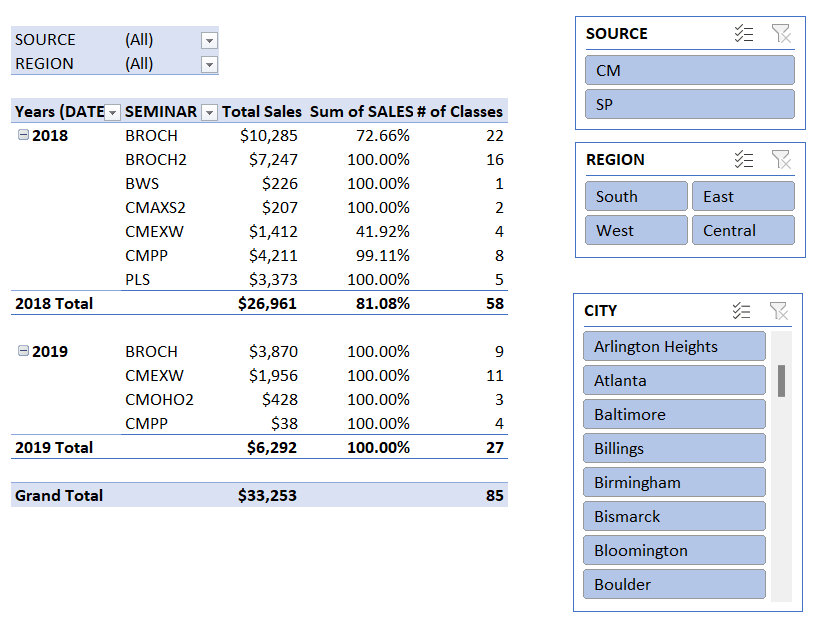
- Introduction to PivotTables
Learning Outcomes
After completing this course, participants will be able to:
- Organize data using Excel Tables
- Apply conditional formatting rules
- Create data validation controls
- Use logical functions to make decisions
- Retrieve information using lookup functions
- Manage larger worksheets more efficiently
- Link information between worksheets
- Protect worksheet content
- Analyze data using PivotTables
The Lighthouse Training Difference
Lighthouse Training focuses on practical, real-world Excel skills rather than memorizing software features. Participants learn through hands-on exercises and business scenarios that mirror tasks they encounter every day.
Shining a guiding light on technology.