
Learn to Work Smarter with Microsoft Copilot and Artificial Intelligence
Artificial Intelligence is changing the way people work, but most professionals are still trying to figure out where to begin. If that sounds familiar, you’re not alone.
I was skeptical too.
Like many people, I wondered if AI was just another technology trend destined to generate more hype than results. Then I began experimenting with Microsoft Copilot and other AI tools and discovered something surprising: used correctly, AI isn’t about replacing people. It’s about helping people think, create, analyze, communicate, and solve problems more efficiently.
Today I use AI every day to research ideas, organize information, improve documents, create training materials, and save time on routine tasks. My goal is to help you do the same.
What You’ll Learn
From that first hesitant experiment to using these tools every day, here’s the roadmap I wish I’d had when I started.
Understanding AI and Copilot
Before you can use these tools well, it helps to know what’s actually happening under the hood.
- What Artificial Intelligence really is
- Understanding Generative AI
- What Microsoft Copilot can and cannot do
- AI terminology explained in plain English
- Responsible and ethical AI use
Writing Better Prompts
The difference between a frustrating result and a great one usually comes down to how you ask.
- The secrets of effective prompting
- Asking better questions
- Improving results through conversation
- Refining and expanding responses
- Common prompt mistakes to avoid
Copilot in Your Everyday Work
Here’s where it gets practical — the tasks you’re already doing, and how Copilot fits into each Microsoft 365 app you use.
- Summarizing information
- Drafting emails and documents
- Creating presentations
- Meeting notes and action items
- Brainstorming ideas and content
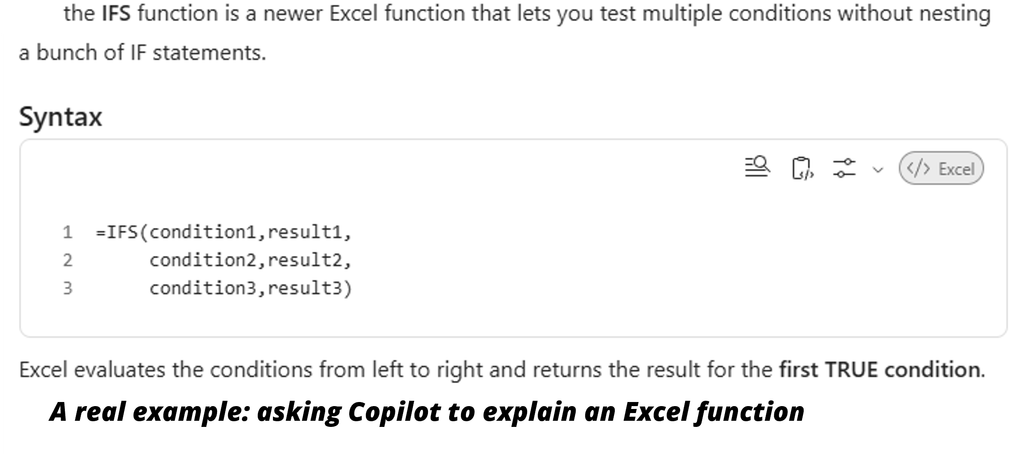
- Copilot in Word, Excel, Outlook, PowerPoint and Teams
If any of this sounds like where your team’s at, I’d love to hear about it — Contact me
Practical Workplace Uses
Beyond individual tasks, this is where AI starts changing how you approach your work.
- Research and analysis
- Content creation
- Data interpretation
- Process improvement
- Problem solving and decision support
Who Should Attend?
This course is designed for:
- Business professionals
- Administrative staff
- Managers and supervisors
- Trainers and educators
- Sales and customer service teams
- Anyone curious about AI and how it can improve productivity
No technical background is required.
Training Formats
- Live instructor-led classroom training
- Virtual instructor-led training
- One-on-one coaching
- Team workshops
- Customized corporate programs
My Promise
You won’t leave with a collection of buzzwords — you’ll leave with practical skills you can use immediately.
My approach has always been about building a toolbox, not collecting credentials. In this course, you’ll learn how to use AI as another powerful tool in your toolbox to help you work smarter and accomplish more.
Course Length
Half-Day, Full-Day, and Customized Sessions Available